• Skip to primary navigation
  • Skip to main content
  • Skip to primary sidebar
  • Skip to footer

Brain Ninjas

Let us help you teach like a ninja!

  • Teaching Ideas
    • Engaging Lessons
    • Teaching Strategies
    • Classroom Tips
  • Shop
    • BN Shop ($CAD)
    • TpT ($USD)
  • Your Province
    • Alberta
    • British Columbia
    • Saskatchewan
  • Testimonials
  • Free Resources
  • About Us
  • Contact Us
    • Privacy Policy

Setting Up Technology

Must Know Tech Skills You Should Teach Your Students

by Brain Ninjas

Can your students troubleshoot basic tech skills? Do you spend all your teaching time fixing tech issues? Come learn some of the basic tech skills we teach our students to save time when you have to use technology. This is perfect for elementary classrooms but we know lots of adults that can also use these skills.

Working in a school has taught us that many adults do not have basic technology skills. We still receive responses as “reply all” or emails without attachments. Since we are often asked to help out with technology, we are often the teachers asked to fix a problem when a student shows up at our door with a device question. This helped us identify the must-know tech skills every student should have.

We changed how we taught technology in our own classroom. Gone are the days where we teach students how to simply use a specific program. This wasn’t helpful because things change so frequently. Tech companies love to move stuff around just to keep things “fresh.” To counter this, we started teaching students that most programs use the same symbols and features to do similar things. We taught students how all programs function in general and how to troubleshoot. Teaching these must know tech skills made all the difference.

[Read more…] about Must Know Tech Skills You Should Teach Your Students

Filed Under: Classroom Tips Tagged With: classroom tips, Google Classroom, Google Education, Google Suite, Setting Up Technology, Technology in the Classroom, Technology Integration

How to Fix Your Forced Copy Google Glitches

by Brain Ninjas

Are you having trouble with Google glitches because your forced copy links aren't working? Come read through our list of possible solutions when the link you received doesn't work.

If you have been using a forced copy to receive Google files, you may have noticed a glitch that can cause problems. To be clear, when we allow for a copy of our Google files to be made in your drive, we should never have to share or give you access. We’ve already done that step to automate it. However, there have been lots of problems with Google glitches lately so we gathered up all the knowledge we could find online and put it in an easy-to-use format so that you can get your files as quickly as possible. Many teacher authors like ourselves use these forced copy links because sharing folders isn’t possible (yet).

[Read more…] about How to Fix Your Forced Copy Google Glitches

Filed Under: Classroom Tips Tagged With: Classroom Technology, Educational Technology, Google Classroom, Professional Learning, Setting Up Technology, Technology in the Classroom, Technology Integration

How to Leverage the Power of YouTube in Your Classroom

by Brain Ninjas

Are you using YouTube in your upper elementary classroom? Why not? It is full of ready-made resources for everything from science, to math to documentaries. Come take a look at how we make the most of it and you can, too.

As you know, YouTube is a wealth of resources for professional learning, both for fun and for learning how to fix your broken gas dryer (ninjas like to fix their own things, after all). Using YouTube in the classroom with your students is also a powerful tool (assuming you are allowed to)! Schools and districts that block YouTube are living in the wrong century! To us, it would be like banning a library (but that is a whole other issue and worthy of its own post).

[Read more…] about How to Leverage the Power of YouTube in Your Classroom

Filed Under: Classroom Tips Tagged With: Chromebooks, Setting Up Technology, YouTube

More Advanced Tech Skills You Should Teach Your Students

by Brain Ninjas

Once your upper elementary students are using technology in the classroom or for distance learning regularly, you might need to teach them some more advanced tech skills to help them be more productive. Come check out this list of skills your students will need to use technology efficiently and effectively.

With more and more students having to complete their schoolwork online, there are some advanced tech skills you should teach your students to help make both your life and their lives easier. Technology often comes quite naturally to the generation that can usually set up a device or figure out a new video game within minutes, but the technology we use in the classroom is often more related to productivity tools and isn’t as intuitive.

What skills do you find you have to teach over and over again? We made a list with our students and then made list for you.

[Read more…] about More Advanced Tech Skills You Should Teach Your Students
Filed Under: Classroom Tips Tagged With: Classroom Technology, Educational Technology, Google Apps, Google Classroom, Google Education, Google Search, Google Tools, Setting Up Technology, Technology in the Classroom, Technology Integration

How to Get Your Classroom Set Up in One Day

by Brain Ninjas

Are you stuck in a time crunch with one day to set up your classroom? Yes, it can be done. Get down to the basics and leave everything else for later. Come read about how we've set up our classroom in one day.

It was the first day we were allowed to reenter the school after a major renovation. It was a disaster. Before the end of the previous year, we packed up everything and carefully labeled it. Nothing was returned to the classrooms. Students would be arriving in ONE day! Yup! You heard that right.

What a nightmare! Fortunately, we worked with the most amazing staff on the planet. We planned out a solution to bring everyone’s anxiety level down to a manageable level. We hosted a walking set-up bus.

What is a walking set-up bus? Keep reading to find out.

[Read more…] about How to Get Your Classroom Set Up in One Day

Filed Under: Classroom Tips Tagged With: Back to School, Classroom Organization, Classroom Set Up, Holidays and Seasonal, Setting Up Technology, Staff and Faculty Activities, Teacher Mental Health, Teacher Wellness, Teamwork

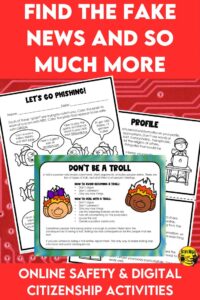
Find the Fake News and So Much More

by Brain Ninjas

We need to teach students how to think critically about what they see online. Check out these tips and lessons you can use in your clasroom to help turn your students in to responsible digital citizens. Digital citizenship and online safety should be a priority in every upper elementary classroom.

We realized the importance of teaching critical thinking and fact-checking one day on Facebook. One ninja-mother-in-law posted an article about an actor that had died-but the actor had died FIVE years earlier. Yet, there she was just reposting like crazy. A dog with a piece of ham on its face was her next post and that was when we started writing our digital citizenship and online safety resource. Clearly, digital citizenship is a skill to be learned by many these days.

[Read more…] about Find the Fake News and So Much More

Filed Under: Engaging Lessons Tagged With: Classroom Technology, Digital Citizenship, Digital Safety, Educational Technology, Fake News, Health, Lesson Plans, Online Safety, Setting Up Technology, Social Media, Teachers Pay Teachers, Technology in the Classroom, Technology Integration, Wellness

Use Google Classroom to Make Your Life Easier

by Brain Ninjas

Do you use Google Classroom for your everyday lessons? If not, you might want to consider trying it to get your in class or online learning organized. Learn some of the basics to set it up and get started with this post, which includes some must know tech skills for yourself and your upper elementary students.

When the pandemic hit and classes needed to jump online, we were so thankful that we’d been spending the past few years teaching our students how to use the technology in our classroom and at home through Google Classroom.

If you haven’t tried it yet, you should. There are other Learning Management Systems out there, but Google is relatively easy to use, and it’s free. If your students already know how to use other Google Tools, it’s really not much different.

[Read more…] about Use Google Classroom to Make Your Life Easier

Filed Under: Classroom Tips Tagged With: Chromebooks, Classroom Technology, Educational Technology, Google Apps, Google Classroom, Google Education, Google Suite, Google Tools, Setting Up Technology, Technology in the Classroom, Technology Integration

How to Avoid Device Disaster

by Brain Ninjas

Are your classroom devices supposed to be saving you time, but they are a disaster and you spend all your time organizing them? Check out these time-saving and practical tips to keep those devices in order once and for all!

Great! You have a brand new set of devices to use in your classroom. That’s awesome, but there are some things you’re going to have to do in order to keep those devices in top-notch condition and avoid device disaster.

Now, we are fortunate enough to work in a school where a technician is the one who sets up all the student accounts and installs all the software. We actually have no ability to alter these things, so this post will focus on looking after the hardware (not using the devices).

[Read more…] about How to Avoid Device Disaster

Filed Under: Classroom Tips Tagged With: Chromebooks, Classroom Organization, Classroom Set Up, Classroom Technology, Devices, Educational Technology, Setting Up Technology, Technology in the Classroom, Technology Integration

Primary Sidebar

Brain Ninjas Shop (CAD) Brain Ninjas on Teachers Pay Teachers Brain Ninjas on Facebook Brain Ninjas on Instagram Brain Ninjas on Pinterest Contact Brain Ninjas Join Ninja News

Most Recent

How to Make Patterns and Algebra Stick With Interactive Notebooks
How Projects Can Transform Your Social Studies Lessons
The Sweetest Way to Teach Self-Assessment

Before Footer

Looking for something?

Footer

Brain Ninjas Shop (CAD) Brain Ninjas on Teachers Pay Teachers Brain Ninjas on Facebook Brain Ninjas on Instagram Brain Ninjas on Pinterest Contact Brain Ninjas Join Ninja News

Copyright © 2014–2026 Brain Ninjas