• Skip to primary navigation
  • Skip to main content
  • Skip to primary sidebar
  • Skip to footer

Ninja Notes

Let us help you teach like a ninja!

  • Engaging Lessons
  • Teaching Strategies
  • Classroom Tips
  • Free Resources
  • Shop
  • Contact Us
    • Privacy Policy

Google Education

Must Know Tech Skills You Should Teach Your Students

by BrainNinjasWP

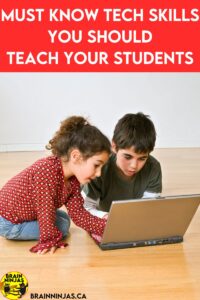
Can your students troubleshoot basic tech skills? Do you spend all your teaching time fixing tech issues? Come learn some of the basic tech skills we teach our students to save time when you have to use technology. This is perfect for elementary classrooms but we know lots of adults that can also use these skills.

Working in a school has taught us that many adults do not have basic technology skills. We still receive responses as “reply all” or emails without attachments. Since we are often asked to help out with technology, we are often the teachers asked to fix a problem when a student shows up at our door with a device question. This helped us identify the must-know tech skills every student should have.

We changed how we taught technology in our own classroom. Gone are the days where we teach students how to simply use a specific program. This wasn’t helpful because things change so frequently. Tech companies love to move stuff around just to keep things “fresh.” To counter this, we started teaching students that most programs use the same symbols and features to do similar things. We taught students how all programs function in general and how to troubleshoot. Teaching these must know tech skills made all the difference.

[Read more…] about Must Know Tech Skills You Should Teach Your Students
Filed Under: Classroom Tips Tagged With: classroom tips, Google Classroom, Google Education, Google Suite, Setting Up Technology, Technology in the Classroom, Technology Integration

Saved by the Bell Ringers in Upper Elementary

by BrainNinjasWP

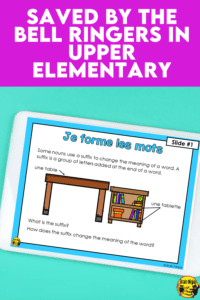
It can be difficult to use every momemt of your instructional time, but bell ringers might be the key in upper elementary. We use them in every subject area to make transitions smoother, keep behaviour on track and to ignite the learning for our students. Come read about how we use bell ringers in our classroom.

Your class trickles in as you watch the time tick away and the punctual crowd starts to get restless. A student hands in work, another tells you all about the taco salad they had for lunch, while two others argue over which of two seemingly identical chairs is theirs. Does this sound familiar to you? It sounds like bell ringers might be the solution!

Bell Ringers Can Take Back That Wasted Time

Silent reading is a great way to start the day or for use during transitions. But maybe you want to shake things up? Or you want to make every minute of the day count. Bell ringers help to get things rolling from bell to bell. Read on to find out how we use them in our classroom and all the different types of bell ringers that can work.

[Read more…] about Saved by the Bell Ringers in Upper Elementary

Filed Under: Engaging Lessons, Teaching Strategies Tagged With: bell ringers, Classroom Management, French, french as a second language, FSL, Google Apps, Google Classroom, google classroom activities, Google Education, Language Arts, Reading, reading comprehension, Student Teachers, task cards, Teachers Pay Teachers, weekly readers

More Advanced Tech Skills You Should Teach Your Students
by BrainNinjasWP

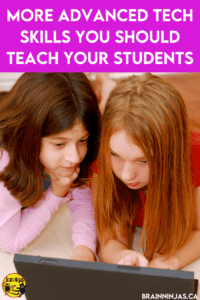
Once your upper elementary students are using technology in the classroom or for distance learning regularly, you might need to teach them some more advanced tech skills to help them be more productive. Come check out this list of skills your students will need to use technology efficiently and effectively.

With more and more students having to complete their schoolwork online, there are some advanced tech skills you should teach your students to help make both your life and their lives easier. Technology often comes quite naturally to the generation that can usually set up a device or figure out a new video game within minutes, but the technology we use in the classroom is often more related to productivity tools and isn’t as intuitive.

What skills do you find you have to teach over and over again? We made a list with our students and then made list for you.

[Read more…] about More Advanced Tech Skills You Should Teach Your Students
Filed Under: Classroom Tips Tagged With: Classroom Technology, Educational Technology, Google Apps, Google Classroom, Google Education, Google Search, Google Tools, Setting Up Technology, Technology in the Classroom, Technology Integration

How to Use Google Meet to Run a Book Club

by BrainNinjasWP

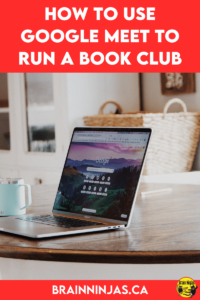
If you like to run Book Clubs in your upper elementary classroom, then you should try using Google Meet to run them. Come read through our post to see how we put these in place and get yourself some useful tools to make it all go easier.

Are you looking for a twist on a Book Club to help spice up your reading instruction? Using Google Meet can be just the twist you need to get students reading, writing and talking about books. If you’re teaching reading, you need to give this a shot!

The point of book clubs is to have students (or people) read the same book together and then discuss the book. It is not about reading a book and then doing comprehension questions. No one wants to do that (or mark that). It’s about fostering a love of reading for life.

[Read more…] about How to Use Google Meet to Run a Book Club

Filed Under: Teaching Strategies Tagged With: Book Clubs, Classroom Set Up, Educational Technology, ELA, Google Classroom, Google Education, Language Arts, Literature Circles, Reading, Technology Integration

Use Google Classroom to Make Your Life Easier

by BrainNinjasWP

Do you use Google Classroom for your everyday lessons? If not, you might want to consider trying it to get your in class or online learning organized. Learn some of the basics to set it up and get started with this post, which includes some must know tech skills for yourself and your upper elementary students.

When the pandemic hit and classes needed to jump online, we were so thankful that we’d been spending the past few years teaching our students how to use the technology in our classroom and at home through Google Classroom.

If you haven’t tried it yet, you should. There are other Learning Management Systems out there, but Google is relatively easy to use, and it’s free. If your students already know how to use other Google Tools, it’s really not much different.

[Read more…] about Use Google Classroom to Make Your Life Easier

Filed Under: Classroom Tips Tagged With: Chromebooks, Classroom Technology, Educational Technology, Google Apps, Google Classroom, Google Education, Google Suite, Google Tools, Setting Up Technology, Technology in the Classroom, Technology Integration

Primary Sidebar

Most Recent

  • You can excite your elementary students to learn French by teaching them all about French Canadian celebrations. We put together lessons and activities that can help inspire your students about French culture while you teach the basics of the French language. These lessons are designed for teachers who are not native speakers so come learn more.
    How to Learn French With French Canadian Celebrations
    Every year, Francophone communities across Canada...
  • Create these adorable watercolour love trees for Valentine's Day, World Kindness Day, Earth Day or Pink Shirt Day. They make a great bulletin board and our post features step by step instructions for your elementary classroom. Come read the whole post.
    How to Make Valentine's Day Love Trees
    Do you need a Valentine's Day...
  • Do your students need a fun way to share what they are reading in class? This is a great twist on literature circles and book clubs that your students will enjoy. Come read the whole post and get some ideas for your upper elementary or middle school language arts lessons.
    Give Your Reading Instruction an Easy Twist
    For years we've done Literature Circles...

Before Footer

Looking for something?

Footer

Copyright © 2026 · Wellness Pro on Genesis Framework · WordPress · Log in

This website uses cookies to improve your experience. We'll assume you're ok with this, but you can opt-out if you wish.AcceptReject Read More
Privacy & Cookies Policy

Privacy Overview

This website uses cookies to improve your experience while you navigate through the website. Out of these, the cookies that are categorized as necessary are stored on your browser as they are essential for the working of basic functionalities of the website. We also use third-party cookies that help us analyze and understand how you use this website. These cookies will be stored in your browser only with your consent. You also have the option to opt-out of these cookies. But opting out of some of these cookies may affect your browsing experience.
Necessary
Always Enabled
Necessary cookies are absolutely essential for the website to function properly. This category only includes cookies that ensures basic functionalities and security features of the website. These cookies do not store any personal information.
Non-necessary
Any cookies that may not be particularly necessary for the website to function and is used specifically to collect user personal data via analytics, ads, other embedded contents are termed as non-necessary cookies. It is mandatory to procure user consent prior to running these cookies on your website.
SAVE & ACCEPT
