Teachers managing multiple print and digital resources often struggle with organization and version control. Here are five proven strategies to use your resources efficiently and keep them up to date. We’ll cover choosing the right lessons for your classroom to staying organized and accessing updates.
We recently received an email from a ninja asking about ways to use one of our most common resources. It was then that we discovered lots of our ninjas weren’t using it the way we were in our classroom. It didn’t occur to us that teachers would use it another way. Sometimes this can be a good thing where we learn new ways to adapt our resources to other classroom. Sometimes we can hear the frustration about how a resource didn’t work.
So, we decided to write a whole post that can help teachers use our resources as effectively as possible.
Before you Start: Choose The Right Concept
What is the concept you are trying to teach? We are elementary generalists who happen to also specialize in music and French. This means we have a wide variety of resources.
But, we can help you find the right resource for you. Most of our resources are designed for teachers who want to try bigger projects instead of setting a booklet of worksheets in front of their class. If that’s where you are right now, there’s no judgement. We’re happy to help guide you into bigger and more engaging activities.
Our resources are designed to be flexible and help teachers differentiate. This means some have more activities, formats or steps that all students need. In fact, most of our resources have “too much” to do in them. Don’t let that scare you away. Think of each resource like a tool box that you can use year after year, adjusting the exact tools (pages and activities) you use each year with each unique group of students.
If you are ever debating which resource will be the most helpful to you, just send us an email. We’re happy to help figure things out with you.
Best Practice: Use the search features and filters where possible to find the right fit.
Have You Downloaded the Latest Version?
Are you using the most updated version? Updates matter. One ninja contacted us because she found an error. Turns out the error was from a previous version. When she originally bought the resource in 2016 she printed it out and have been using copies from that original copy for all these years. We can assure you that NOTHING in our store is still from 2016.
We are always updating our resources. Sometimes these are updates to fix typos or errors. Sometimes we are using feedback from teachers to make resources even better. There are other times when we use the resource and come up with another part that works and so we add it.
We rarely remove content from a resource. This only happens if the content is dated and needs to be replaced. For example, we’ve updated many of our social studies lessons to reflect the proper terms, update information and to avoid activities that are no longer best practices. We’d also love it if the James Webb telescope could stop finding moons on Jupiter so we don’t have to repeatedly update the Grade 6 science lesson.
A quick way to to compare your file is to look at the folder and list them with “details.” This will show you the date of the file and you can quickly see if you have the newest version. If it’s more than three years old, check for an update.
Where do you buy?
You can always check for the most updated version. On Teachers Pay Teachers, go to My Purchases. Search Brain Ninjas to find the resources you’ve purchased. Below the link will be a note if there is an update. You can download the new version again:
On Shopify we automatically send a new link for an updated resource. Go to your email, search brainninjas BN# to find your orders in your inbox (so long as you haven’t deleted them). We recommend deleting the older links so you always have the most recent version in your inbox. If you can’t find your link you can send us an email with the email addres you have used for your account. We can resend the email. We do not have access to your account information, but we can find your orders and resend the email with the link.
Best Practice: Before you use a resource, check that you have the most recent version. Key times of year to check are during back to school, winter break, and spring break because that’s when we have the most time to get big upload projects done.
Print Smart, Not Everything
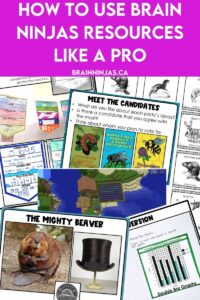
Are you printing pages unnecessarily? You might be wasting your page count and your time. While we understand that some people need to print to follow directions or work things out before teaching them, we always recommend just printing as few pages as possible.
If you print out resources from cover the credits, there will be several pages you won’t need. Instead we recommend reading through the lesson plan first and looking at the student pages that correspond. That way you can make choices about which pages (for example with or without lines) your students need.
Here’s a trick we use in our classroom daily. We open the PDF file. We have a piece of paper on the desk and as we go through the student pages, we write down all the numbers of the pages we need. We put a star next to the ones that cannot be printed back-to-back (like templates or pages that are cut apart). Then we “print” the file by “saving to PDF” and rename the file with PRINT at the beginning.
Another trick is to print a page and put it under a document camera instead of making a class set. Sometimes students don’t need their own copy, especially if they are not writing on them. Newer sets have Teacher Slides and Student Slides that can also save you printing.
Best Practice: Browse the resource before hitting print. Always print from your hard drive and not your browser or preview mode to avoid conflicts (and wasted time).
Stay Efficient: Organize Your Lesson Files
Have you ever bought the same resource twice? We have.
It’s time to get a reliable folder system going. Our recommendation is to make a folder for each subject area or name one folder Brain Ninjas.You can have one folder on your computer and one in your Google Drive. Each time you get a new resource, it goes in the folder first.
The second step is to name your files. Use a naming convention (decide how you will name your files and then use that pattern every time). You need a system because otherwise you’ll forget about purchases you made (been there). If your file lists are disorganized, you’ll waste time (and money). Choose a method and stick to what works.
We name our files as BN Math Long Division Lesson or BN Math Long Division Worksheets.You can arrange by subject, resource type or by the name of the creator (like Brain Ninjas).
We recommend renaming all your files as soon as you download them. Use the naming convention you’ve created and put them in the folder you’ve assigned. You can add “-brain-ninjas” to the file name so you can see the resources visually or you can search “brain ninjas” on your hard drive and it will pull up our resources that you have saved in your computer by searching through our files.
Ninja Note: Teachers Pay Teachers automatically renames files when you download them. These same file names are used in our BN Shop so files do not get mixed up. That’s why we recommend renaming your files as soon as you download them to match your organization system. This takes 30 seconds and saves you hours of searching later.
Best Practice: Rename your files when you download them and save them in the same place each time.
Tell Us About Errors or Difficulties
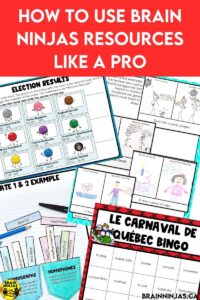
We always take feedback. Teachers like you are the reason our resources are used in so many classrooms across Canada. Let us know if you find an error, or more importantly if your students do. Let us know what works and what doesn’t.
There is an error link on the back page of our resources. This helps us get all the errors in one place so we can fix them more efficiently. When you tell us an error, please include the name or link, page number and the problem. We have over a thousand resources now so the more specific you are, the faster we can fix it.
We also love to hear about innovative ways you are using our resources. Tag us on Instagram @brainninjastpt or send us a photo. If we are allowed to share it (or not share it) please let us know. Other teachers might find your suggestions helpful and we’re all on the same team.
We specialize in resources for Canadian teachers in grade 3 through 6 teaching in English. If you think we should have something, please tell us. Sometimes we already have it and realize we haven’t really explained it well enough so teachers can find it.
Best Practice: Sending us feedback ensures that future updates and future resources are exactly what you need.
Real Teachers With Real Problems
We recently spoke with a teacher who accidentally bought the same resource in a bundle and individually. This is a problem we can easily fix, but when you’re organized, you save all that time communicating and exchanging. Another teacher emailed back and forth and we helped her cut 150 pages from her print budget each month. That’s 1500 pages in a year!
Our goal is always to save teachers time by providing reliable and quality resources. More importantly we want schools and school boards to do the purchasing because we don’t believe teachers should be funding the public education system. Tell your principal about us. Our resources are always classroom-tested, teacher-tested and student-tested. It’s why they take so long to create.
Start browsing today. Find us on Teachers Pay Teachers ($USD) or in our BN Shop ($CAN).
Brain Ninjas creates Grade 3-6 lesson materials for social studies, math, science, health, FSL/French Core and more. All resources are designed to be flexible, differentiated and ready to use.



