This post walks you through creating a Shopify account, logging in, and finding and downloading your resources, including Shopify resource updates. We call our Shopify store our BN Shop. All the prices are in $CAD and we specifically serve Canadian teachers there. Throughout this post, Shopify and BN Shop are interchangeable.
We regularly update our resources. Sometimes it’s for small mistakes or typos, but more often it’s because we add new activities, formats or differentiated options after hearing feedback from teachers. There is nothing worse than hearing a teacher is using a version of our resource from 2014, so please always check for the newest version before you reuse a resource each year. Come learn how to download your resource updates.
Resource updates are only available when you have an account. We don’t allow guest checkouts in our BN Shop because a guest account doesn’t allow access to updates.
Know Where You Made Your Purchase
We sell our resources in our BN Shop through Shopify and on TpT (Teachers Pay Teachers). Most of the resources are available on both sites, but they are not interchangeable. You will need to know which store you made your purchase in order to access any updates.
If you made your purchase in our TpT Store, check out this post instead.
Get Update Emails
We automatically send update emails when we post a new update on Shopify.
One of the best ways to keep track of updates is to get signed up for our email list. We send resource update emails on Fridays to help you plan the week ahead. Sign up at the bottom of this page. If you’re already on the list, watch for surveys in our emails or send us an email so we can get you on the right list. We only send the update emails when there is a significant change that impacts the pages you use with students.
How to Create an Account for our Shopify Store
Your account is created for you automatically when you buy a resource, but you can also set one up ahead of time.
Visit the Brain Ninjas Shopify store: shopbrainninjas.ca
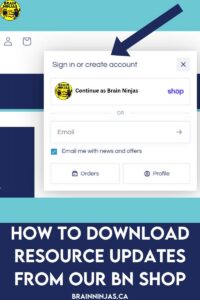
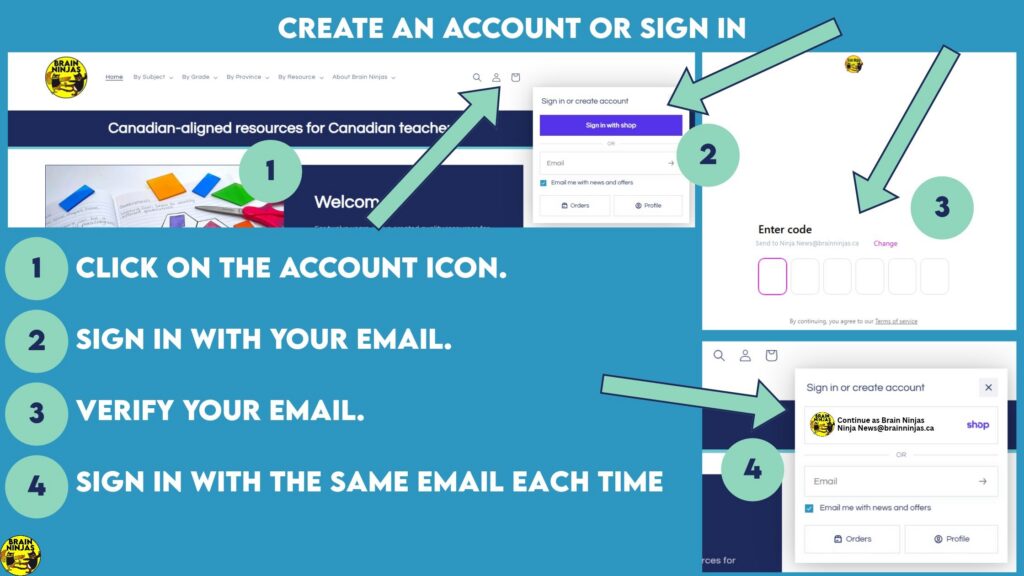
Click the account icon in the top corner of the page. It looks like a little person.
You will be prompted to enter your email address. Double-check that you’ve spelled it correctly. Once you’ve entered it, you’ll be sent a 6-digit verification code.
Enter the verification code, and you’re set! You’ll now see that the account icon has the first letter of your email address.
Ninja Note: We cannot access any information about your account with the exception of your name and email. We do not have access to your password. If you forget your password, you must go through the process on Shopify to reset it.
How to Open Your Account
Go back to the store at shopbrainninjas.ca
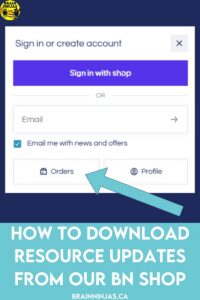
Click the account icon again.
Sign in with your email and password. Depending on how your passwords are saved on your computer, it might log you in when you click on your email address, without prompting for a password.
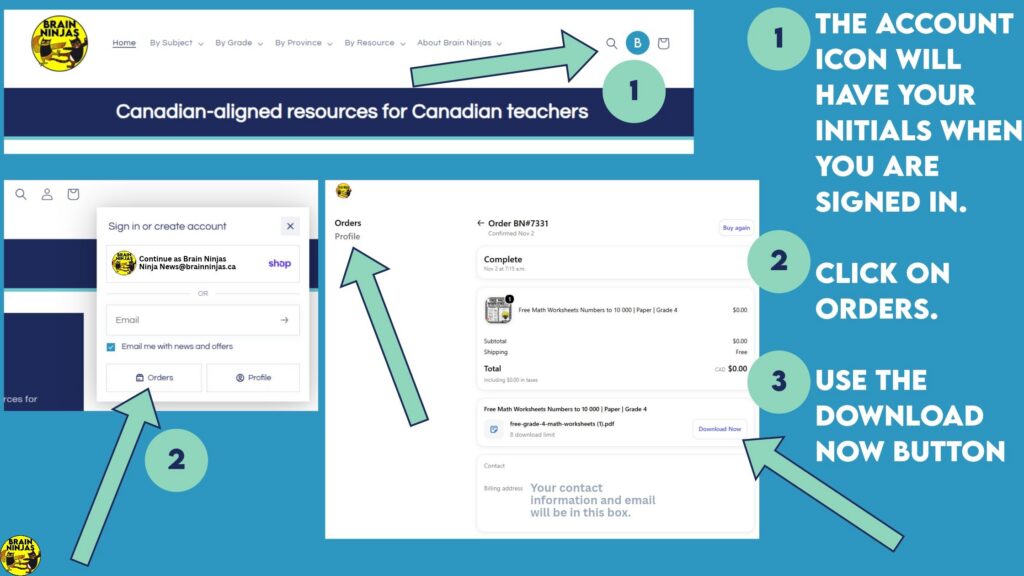
Once you’re in, you’ll see a list of every order you’ve made through the store.
How to Find and Download Your Resources
Find your resources
Click on an order to see its details. Each order includes a link to download your resource file.
Check for updates
We recommend checking for an update before using a resource again each year. There are two ways to find out whether a resource has been updated.
Email: If a resource you bought is updated, you’ll get an email from Brain Ninjas with the subject line Update available for ‘RESOURCE NAME’.
Your account: Open the order in your account. An updated resource will show more than one download link. The link at the bottom is the most recent version, since not every update is dated.
Download your resource
Click the Download Now button next to the file you want. It will save to wherever your computer is set to send downloads, which is usually the Downloads folder.
That’s it! Now you can create your account, check for updates, and download the newest version of your resources whenever you need them.
Ninja Note: Shopify records each download, and downloads are limited. We will always keep the number of downloads high enough for you to download all your updates, but be careful not to share your download links. They will use up your downloads.
Shopify Resource Updates FAQ
How do I know if a resource has been updated?
We email you with the subject line Update available for the resource name. You can also open the order in your account. An updated resource shows more than one download link, and the bottom link is the newest version.
Do I need an account to download updates?
Yes. Updates are only available with an account, so we don’t allow guest checkouts in our BN Shop. Your account is created automatically when you buy a resource.
Can I use my TpT account to get updates for a BN Shop purchase?
No. Our BN Shop and TpT Store are separate. Use the store where you bought the resource. If you bought on TpT, follow our post on downloading TpT resource updates instead.
Why are my downloads limited?
Shopify records each download, and downloads are limited. We keep the number high enough for you to download all your updates. Please don’t share your download links, because every download uses up your count.
How often should I check for updates?
We recommend checking before you use a resource again each year. We send update emails on Fridays when a significant change affects the pages you use with students. Sign up at the bottom of this page to get them.
What resources do you have for Canadian classrooms?
We make engaging, curriculum-aligned resources for Grade 3-6 Canadian classrooms, including FSL and Core French. Find them in our BN Shop ($CAD) or TpT Store ($USD).



Leave a Reply